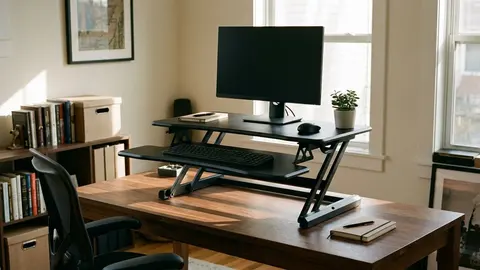
Is the VIVO Black 32 in Standing worth it?
A research based review of the VIVO 32 inch standing desk converter: size, who it suits and what to check before buying.
On this page
- What it is
- Who it suits
- Who should skip it
- What to check
- Setting it up
- How it compares
- Published figures
- What those figures mean
- Fit with ergonomic guidance
- Desk compatibility
- Who it suits
- Care and safety
- Setting it up
- Weight check
- Ergonomics when standing
- Limits
- Who it suits and who should skip it
- Compared with a full desk
- What to check on arrival
- Questions and answers
- Verdict
This is a source-informed review, not a hands on test. We read the listing, compared it with other converters and looked at recurring owner themes.
What it is
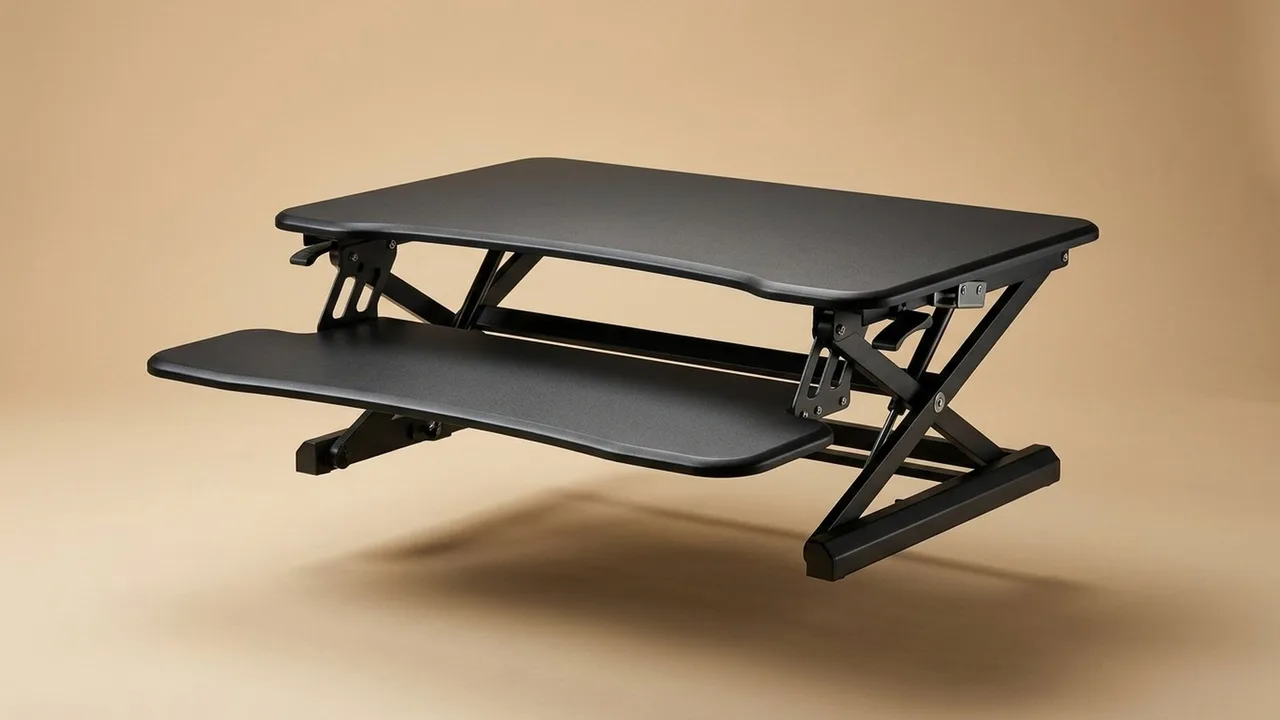
The VIVO 32-inch standing desk converter DESK V000K is a black platform that sits on your desk and raises your screen and keyboard. At 32 inches it is the smallest of the group.
Who it suits
People who work on a laptop or one monitor, who have a small desk and who want to try standing. Renters also suit this, because it needs no tools and leaves your furniture alone.
Who should skip it
If you use two monitors, look at the 36-inch or 42-inch models. If you stand every day, consider a full desk. See our converter guide.
What to check
The platform depth, the load limit, the lift range and whether the keyboard sits at a comfortable height. Also check that your desk can support the base.
Setting it up
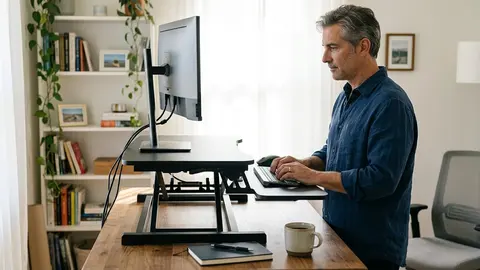
Put it at the front edge. Place monitors in the middle. Keep your elbows near a right angle. Use our desk setup guide for heights.
How it compares
The bigger models offer more room. The best converters page lists all four.
VIVO Black 32 in Standing Desk Converter
A 32-inch black standing desk converter.
VIVO Black 42 in Standing Desk Converter
A 42-inch black standing desk converter.
VIVO Black 36 in Standing Desk Converter
A 36-inch black standing desk converter.
Be careful with
Overloading the platform. Keep within the stated load and center the weight.
Published figures
A Best Buy Canada page for the VIVO 32-inch K-series converter lists a top of 80 by 40 centimetres, a keyboard tray of 80 by 30 centimetres that rises in sync with the top, a height range of 11 to 51 centimetres, a capacity of up to 15 kilograms, steel construction and a three year warranty. Assembly is described as minimal: place the riser on your desk and attach the keyboard tray. The product weight is not listed. The Amazon listing for the model reviewed here is DESK-V000K, 32 inches, black.
What those figures mean
An 80 by 40 centimetre top suits a laptop or one small monitor. Fifteen kilograms limits you to light equipment, so weigh your monitor, laptop and accessories. An 11 to 51 centimetre range tells you how high the platform lifts above your desk, so compare it with the height your keyboard needs when you stand.
Fit with ergonomic guidance
An SBCCD ergonomics guide puts your elbows about at spacebar level with the keyboard flat or tilted slightly down, and the monitor 18 to 24 inches away with the top at eye level or slightly below. A converter with a separate keyboard tray, as here, helps because the screen and keyboard can sit at different heights.
Desk compatibility
Check that your desk is strong enough for the base and has the depth for the platform. Leave clearance under shelves.
Who it suits
People with a laptop and one monitor, renters, and anyone trying standing before buying a full desk. If you stand every day, consider a full desk, which the guide on this site covers.
Care and safety
Do not exceed the stated capacity and keep the weight centerd.
Setting it up
Place the converter at the front edge of your desk and fit the keyboard tray. Put the screen in the middle, the keyboard at elbow height and the mouse beside it. Check that nothing blocks the lift range. Raise it slowly with a full load before trusting it.
Weight check
Weigh your monitor, laptop and accessories before you buy. If the total is near 15 kilograms, choose a model with a higher capacity.
Ergonomics when standing
Stand so your elbows are at about a right angle and your wrists straight, as OSHA's checklist describes. Set the monitor with the top at eye level or slightly below, 18 to 24 inches away, as the SBCCD guide says. Because the converter lifts both together, you may need a monitor stand if the screen rises with the keyboard.
Limits
A converter raises your equipment, but does not change the desk below it, so your legs still need room. If you use two monitors, look at the larger models in the guide.
Who it suits and who should skip it
It suits a renter, a student or someone testing standing with one monitor and a laptop. Skip it if you use two monitors, if you need to stand every day for hours or if your equipment weighs more than 15 kilograms. Skip it if your desk is too shallow for the base.
Compared with a full desk
A converter costs less and needs no tools, but it adds height to your existing desk, so your monitor and keyboard sit higher when you sit, too. A full desk moves everything. If you decide you like standing, a full desk is a natural upgrade, and the guide on this site explains how to choose one.
What to check on arrival
Check that the platform is level, the lift is smooth and the keyboard tray is stable. Test it with your full load before you rely on it.
Questions and answers
Will it fit my desk? Measure the base. Will it hold two monitors? Probably not on a 15 kilogram limit. Does the tray move with the top? The page says it rises in sync. Is it easy to build? The page describes minimal assembly.
Verdict
A small, sensible converter for light loads.
Questions people ask
Can I fit a laptop and monitor?
It depends on the monitor size. Check the platform dimensions.
Is it assembled?
Check the listing for assembly details.
What is the load limit?
Check the listing and keep within it.
How does it lift?
Check the listing for the lift mechanism.
Sources and scope
Reference material is linked for the scope described below. This is not a claim that every statement or current retailer offer has been independently verified.
- VIVO 32 inch K-series desk converter (Best Buy Canada listing): retailer listing
- Setting up your workstation to fit you (San Bernardino Community College District): workstation setup guidance
- Computer Workstations eTool checklist (OSHA, U.S. Department of Labor, 2015): government workplace guidance (copy hosted by University of Colorado)
No hands-on testing or systematic reliability study was performed. Confirm current instructions, seller, model and box contents before ordering.