How to choose a vlogging camera
How to choose a vlogging camera: sensor size, stabilization, audio, screen, battery and the trade offs between pocket cameras and interchangeable lens bodies.
On this page
This guide is source-informed, not a hands on test. We read DJI's specification and product pages for the Osmo Pocket 3 and used general knowledge about vlogging cameras. We did not use it, so treat the specs as the maker's claims.
What vlogging asks of a camera
A vlogging camera is a camera you point at yourself and carry all day. That is a different set of demands from a landscape camera or a studio camera. It must be light, quick to start, steady while you walk, good at keeping you in focus and loud and clear in audio. The best vlogging camera is the one you actually take with you.
Pocket gimbal cameras
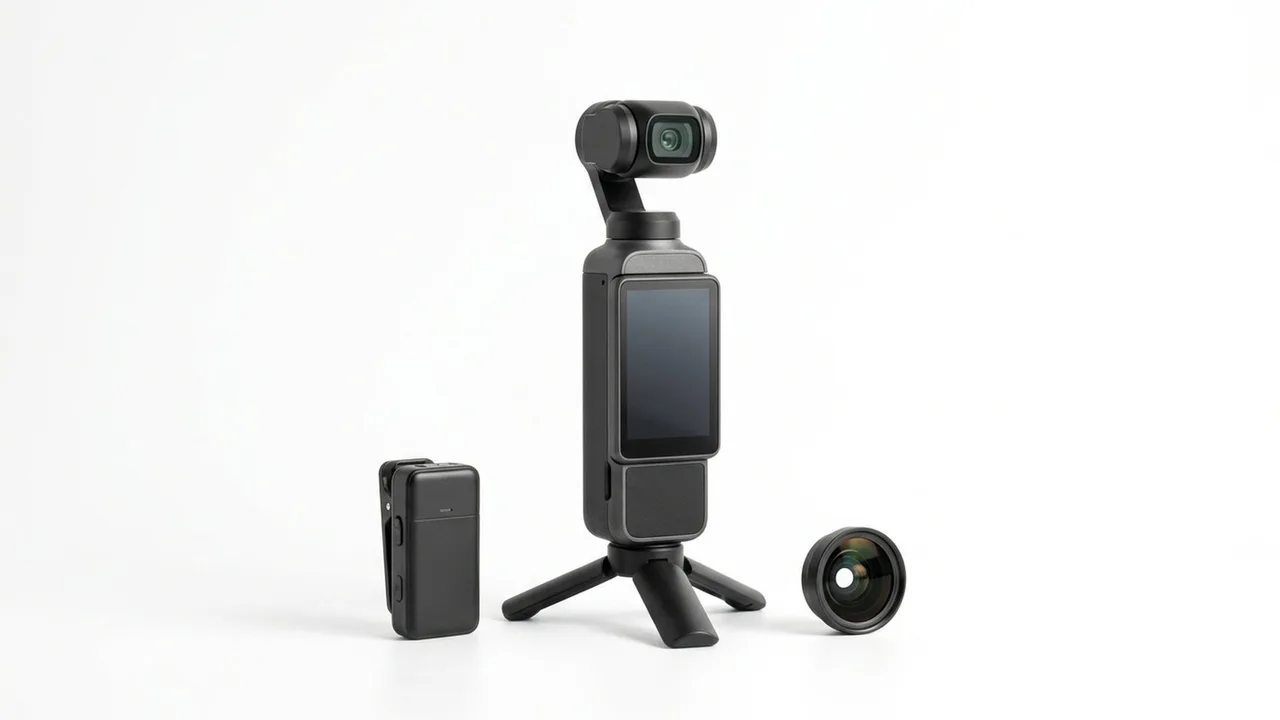
The DJI Osmo Pocket 3 is a small camera with a built-in three axis gimbal. DJI lists a 1-inch CMOS sensor and 4K at up to 120 frames per second, a 20 mm equivalent f/2.0 lens, a weight of 179 g and a 2.0-inch rotatable touchscreen. The gimbal means walking shots look smooth without extra gear, and the size means it fits a jacket pocket. The trade offs are a fixed lens, a small screen and less control than a full camera. DJI lists no built-in storage, so you must add a microSD card. If you like simple and light, this is the category to look at. We could not confirm the exact contents of the Creator Combo from DJI's pages, so check the listing for what is included.
Larger interchangeable lens cameras
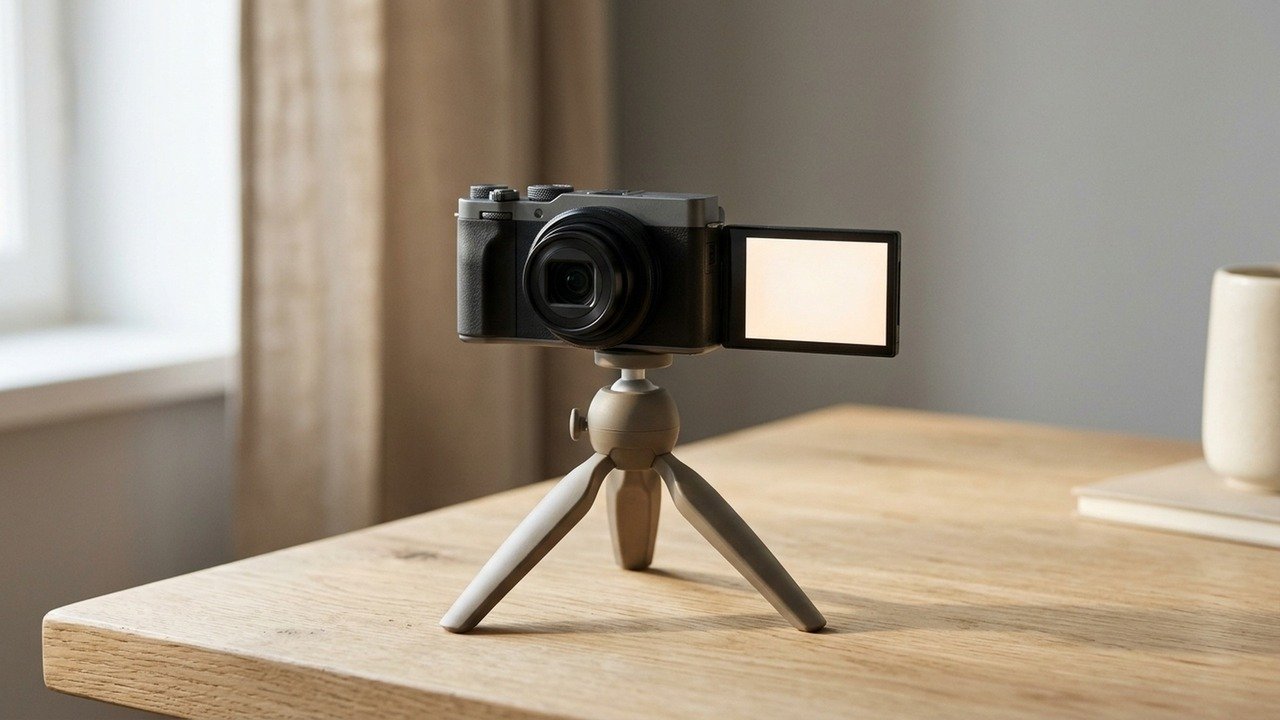
A bigger camera offers lens choice, better low light and more manual control, at the cost of weight and complexity. If you want shallow depth of field or specific lenses, that is the route. Our guides to choosing a camera lens and choosing a gimbal cover the extras you would add.
Stabilization
Stabilization matters more than resolution for walking vlogs. Look for in body or gimbal stabilization, and consider a separate gimbal if you use a larger camera. Our explainer gimbal or in body stabilization shows when each wins.
Screen and framing
A flip or rotating screen lets you frame yourself. DJI lists a 2.0-inch rotatable touchscreen of 556 by 314 pixels at 700 nits for the Pocket 3. A tiny screen is fine for framing, but harder to check focus.
Audio
Good sound needs a microphone input or a wireless system. The built-in microphone is fine up close and poor in wind or noise. DJI lists three microphones on the Pocket 3, and lists it as working with the DJI Mic 2 and Mic Mini. See how to choose a wireless microphone system and do you need a wireless microphone.
Battery, storage and heat
DJI lists a 1300 mAh battery and 166 minutes of recording in its test. Plan for a memory card with a suitable speed; DJI recommends UHS-I or UHS-II microSD up to 1 TB in exFAT. Our microSD guide helps. Small cameras can overheat in long 4K recordings, so read the manual about limits.
Real situations
Travel vlogs. Light, stable and quick wins. Cooking or desk videos. A tripod and a good microphone matter more than a gimbal. Events. Battery and card capacity are the limits. Talking head. A flip screen and autofocus are most useful.
What to check on the listing
Sensor size, stabilization type, frame rates, audio inputs, screen and battery life. Check the accessories in the box. Read vlogging camera specs explained for the jargon.
DJI Osmo Pocket 3 Creator Combo
A 1-inch CMOS vlogging camera with a three axis gimbal and 4K/120fps, in a creator combo.
Budget thinking
Spend in this order: audio first, stabilization second, camera third. A modest camera with good sound and steady shots beats an expensive camera with poor audio. Include the extras in your budget: a memory card, a spare battery, a windscreen and a microphone. DJI lists no built-in storage on the Pocket 3, so a card is part of the cost from day one.
Pocket camera versus larger camera
A pocket camera wins on weight, setup time and built-in stabilization. A larger camera wins on lens choice, low light, depth of field and manual control. If you vlog often while travelling, the pocket camera is easier to carry, so you will use it more. If you shoot planned videos with set lighting, a larger camera gives you better image quality and flexibility. Think about the filming you do most, not the rare special project.
Planning a kit
A basic vlogging kit has a camera, a card, a spare battery, a microphone and a way to hold the camera steady. A pocket gimbal camera covers the last item on its own. A larger camera may need a gimbal or a handle. Keep the kit small enough that you do not leave it at home, because the footage you do not record is worth nothing. Write down what you carry on a typical shoot and trim the list until it fits a small bag.
Testing before you buy
If you can, handle the camera in a shop or borrow one. Check how the screen looks outdoors, how the controls feel in one hand and how quickly it starts. Record a short clip while walking and play it on a large screen. Listen to the sound with headphones. A thirty minute test tells you more than a spec sheet.
Be careful with
Choosing on megapixels. Stabilization, audio and autofocus decide how watchable your vlogs are.
The practical answer
For most people who want simple, smooth video, a pocket gimbal camera is a strong start. If you want lens choice and low light performance, go bigger and add stabilization and audio gear.
Questions people ask
Is a 1 inch sensor good for vlogging?
It is a strong step up from a phone for low light and depth, in a pocket sized body.
Do I need a flip screen?
Yes, for framing yourself. It is one of the most useful features for vlogging.
Should I buy a camera or use a phone?
A phone is fine to start. A dedicated camera helps with stabilization, audio and battery.
Is 4K/120fps important?
It lets you make smooth slow motion. Most vloggers use 4K at 24, 30 or 60.
Sources and scope
Reference material is linked for the scope described below. This is not a claim that every statement or current retailer offer has been independently verified.
- DJI Osmo Pocket 3 specifications (DJI): manufacturer specifications
- DJI Osmo Pocket 3 (DJI): manufacturer product page
- DJI Mic 2 specifications (DJI): manufacturer specifications
No hands-on testing or systematic reliability study was performed. Confirm current instructions, seller, model and box contents before ordering.